

Saving a video
Every card in the Explore feed and on a creator’s page has a bookmark control:
One video can live in several collections at once. The point is to capture without breaking your scan. Save first, organize later.
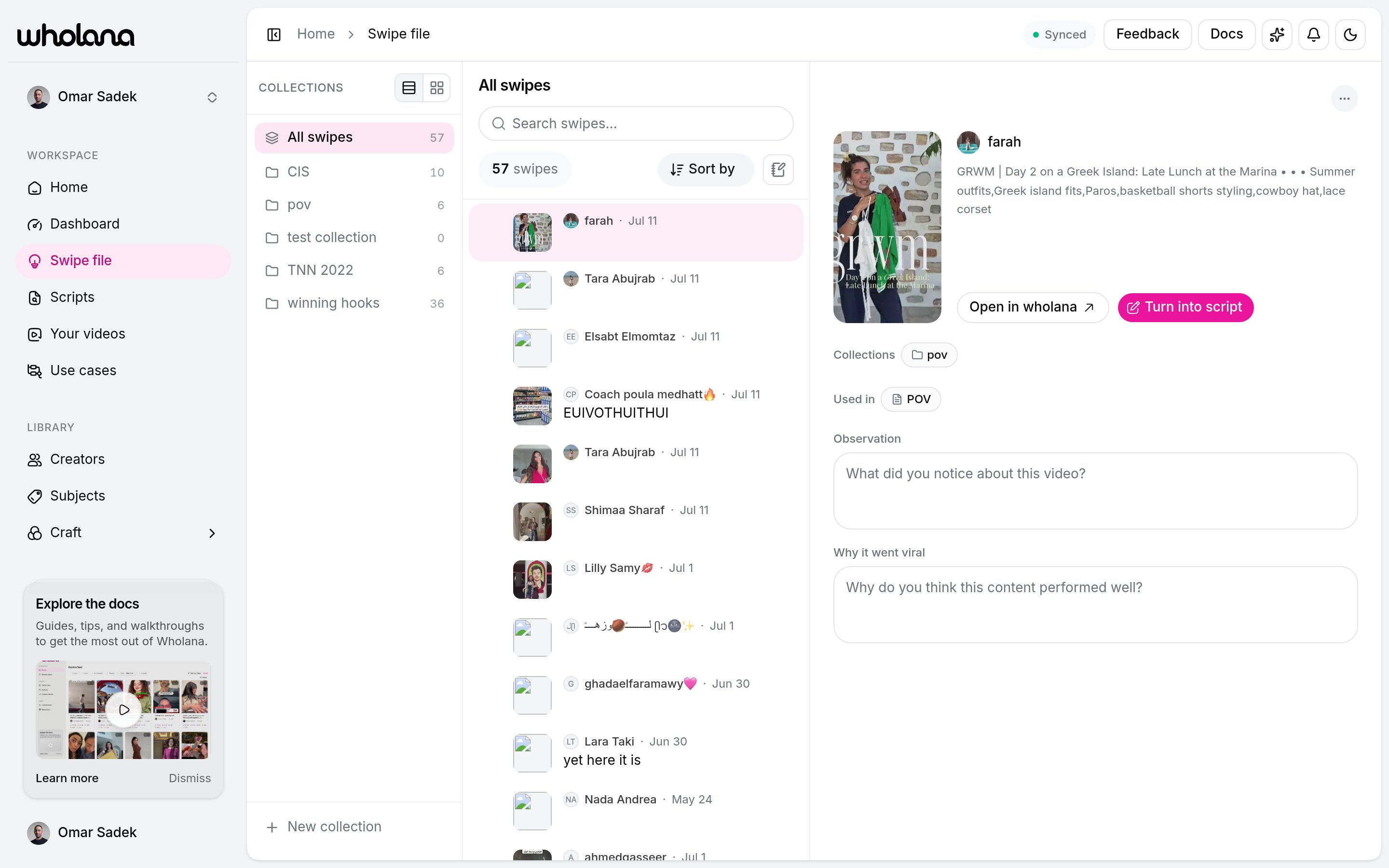
Collections
A collection is a named group of saved videos. Organize them however fits your work:- By format: talking-head hooks, POV intros, text-on-screen openers
- By question: what works for small accounts, viral skincare hooks this quarter
- By client or sprint: one collection per active project
- All swipes: everything you have saved, counted once per video even when it is filed in several collections.
- Unfiled: swipes you saved without picking a collection. It appears only when you have some.
Finding a swipe
The middle pane has a search box and a Sort by control:
Press
j and k to step through swipes from the keyboard. Select several rows to move, add, remove, or delete them together, with an Undo on every bulk action.
Notes
Saving captures the video. A note captures your thinking about it. The detail pane has one Notes field that saves when you click away, up to 3,000 characters. Write what you would actually reuse:- The hook: what happened in the first 1 to 3 seconds that stopped the scroll.
- The format: talking head, POV, slideshow, screen recording, voiceover.
- The angle: what made this different from others in the same format.
- What you would steal: one element you can apply. “The ‘three things I wish I knew at 25’ framing applied to skincare” is useful. “Good hook” is not.
The detail pane
Open a swipe and you get, in one view:- The cover and the video’s numbers, with a link to open it on TikTok.
- Collections: every collection this video is in. Click one to jump there.
- Used in: every script that references this video.
- Your Notes, edited in place.
- Wholana’s craft read of the video beside your note, so your take and the labelled analysis sit together.
- Turn into script: creates a new script seeded from this swipe and opens the editor.
From swipe file to script
Turn into script is the handoff. Instead of a blank page you start from a video that already worked, with its whole collection attached as the script’s references and your notes beside each one. You can also work the other way: open a script and attach a collection from its reference rail. Scripts work from collections, never from single videos. See Scripts.Related
Explore feed
Where you save from.
Scripts
Turn a swipe or a collection into your next video.
Save a TikTok from your phone without opening the app.
Craft
The vocabulary behind the analysis next to your note.