

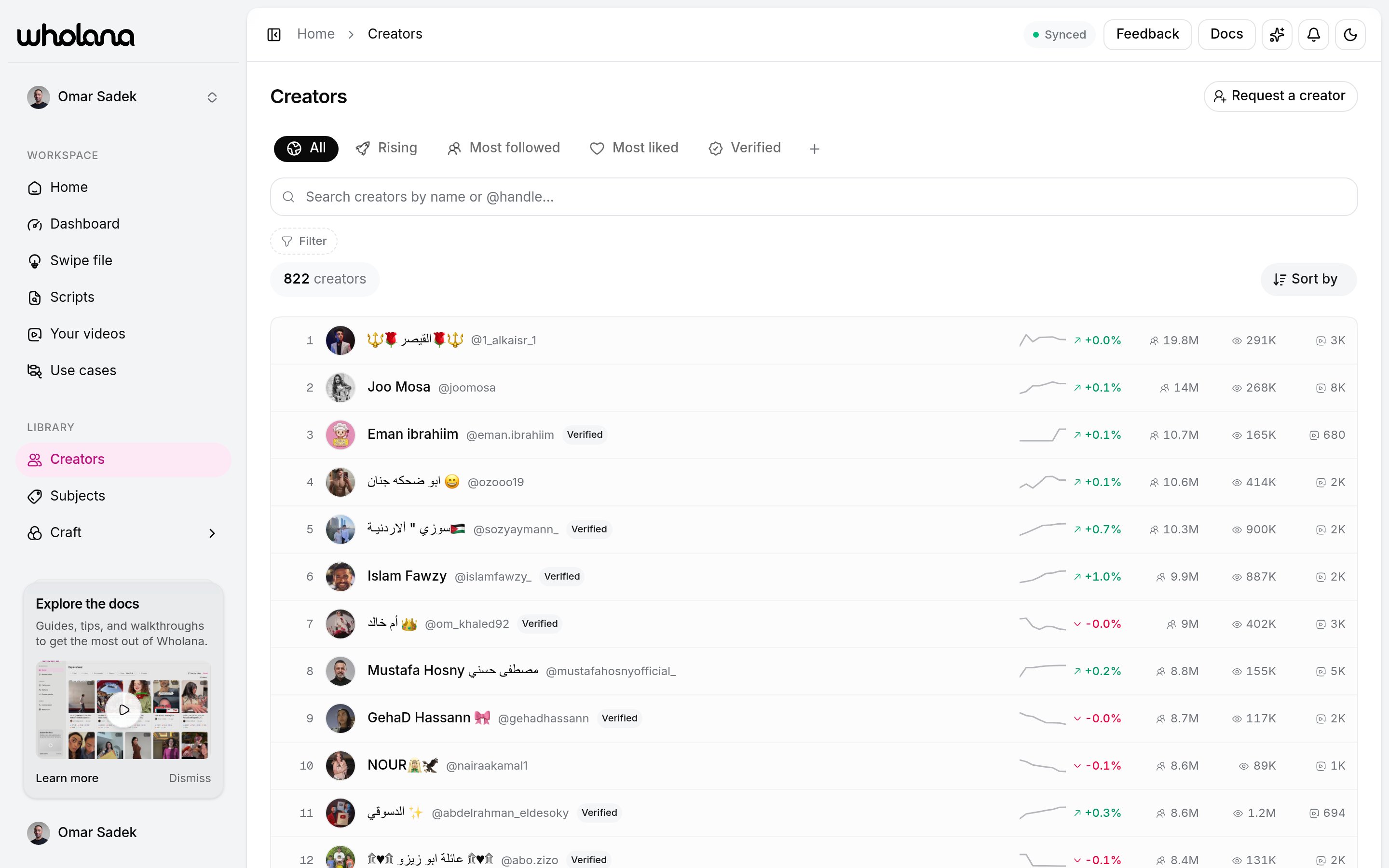
This is not a personal watchlist. The list is Wholana’s whole tracked corpus, the same set the Explore feed draws from. There is no “follow” or “track” action on a creator. To keep an eye on a subset, filter them and save the filter as a Lens.
The list
Each row shows the avatar, handle, a Verified badge where it applies, followers, and total likes. The surface has its own controls, separate from the Explore feed. Search by handle or name. Filters, in two groups:
The craft filters match on a creator’s dominant element per dimension, so “creators whose dominant hook is an open loop” is one click.
Sort by: Followers, Likes, Videos, Name (A to Z), or Rising (follower velocity). Group by subject breaks the results into a per-niche leaderboard.
Filter sets here save as Lenses too, kept separate from your Explore Lenses.
Creators we don’t have yet
Wholana’s corpus is a fixed roster, not the whole of TikTok. If a creator is missing:- Use Request to add on the Creators page, or type their handle into the
⌘Kpalette and pick Request to add @handle. - The request goes to the Wholana team for approval.
- Once approved and scraped, the creator and their videos appear in the corpus.
A creator’s page
Click any creator to drill in. The page leads with their numbers, then their work, then the pattern behind it.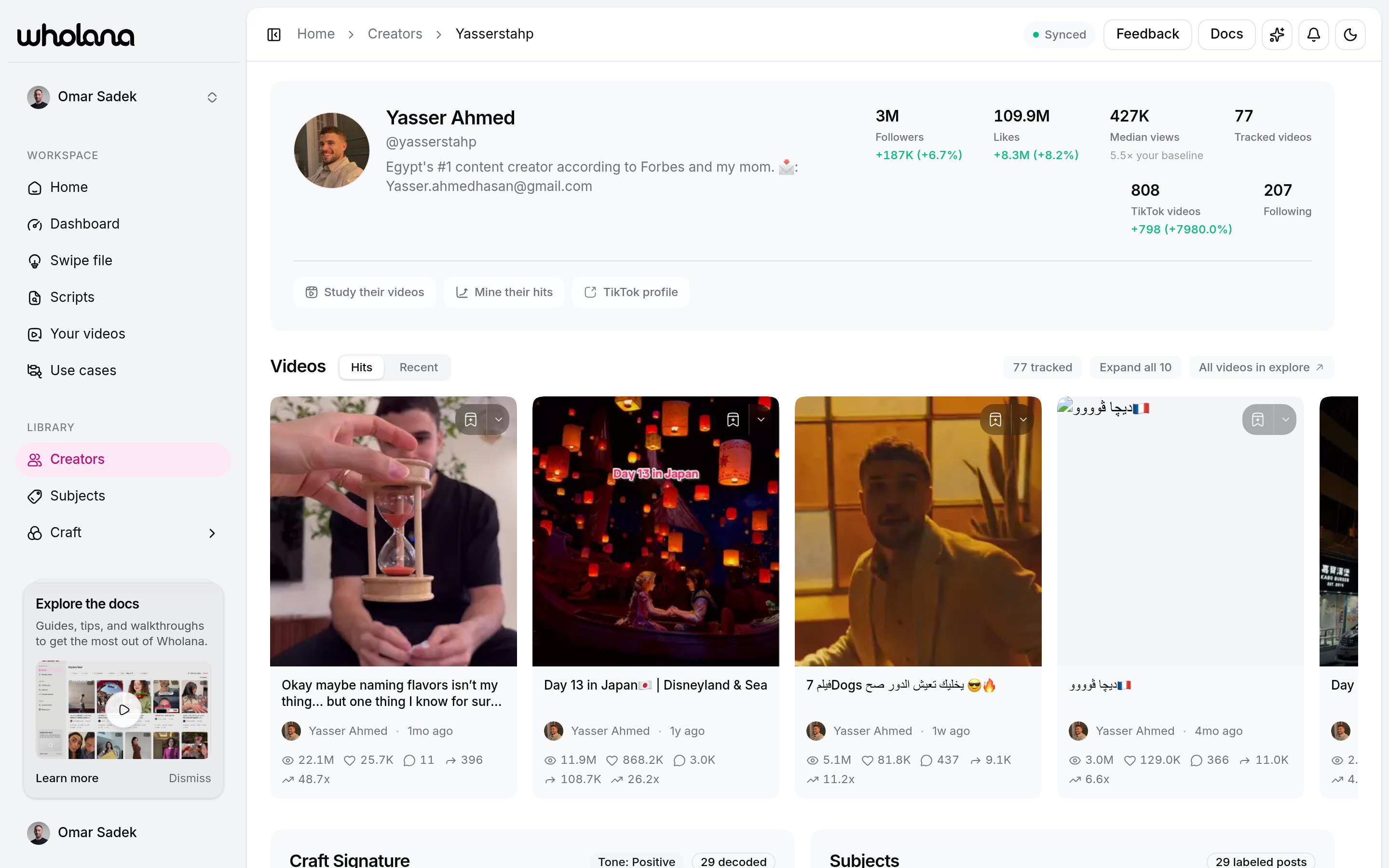
- Header: avatar, name, handle, bio, badges, and links to their TikTok profile and bio link.
- Stats: Followers, Likes, Median views, Tracked videos (how many of their videos Wholana has indexed), TikTok videos, and Following. Follower, like, and video counts show growth deltas.
- Study actions: Study their videos opens the Explore feed scoped to this creator. Mine their hits does the same, sorted by Outlier score, so their breakouts lead.
- Videos: a Hits tab (top by Outlier score) and a Recent tab, in the same card grid as the feed, so you can save from here directly.
- Craft Signature: their dominant hook, narrative, stakes, and shareability, each with how often they use it and how it performs against their own baseline.
- Subjects and Growth: what they cover, and follower and like curves over time.
How to use a creator page
1
Read the signature, not the follower count
A big account tells you nothing repeatable. A creator who opens 60% of their videos with the same hook and beats their own baseline doing it, does.
2
Mine their hits
Mine their hits puts their breakouts in front of you in outlier order. Save the ones that could work in your voice to your Swipe file.
3
Check the subject overlap
If their subjects match yours, their signature is worth copying. If they don’t, borrow the craft and drop the topic.
Related
Explore feed
Where you meet creators worth studying.
Craft
The five facets a Craft Signature is built from.
Swipe file
Save a creator’s hits to script from later.
Subjects
The taxonomy behind a creator’s subjects.