

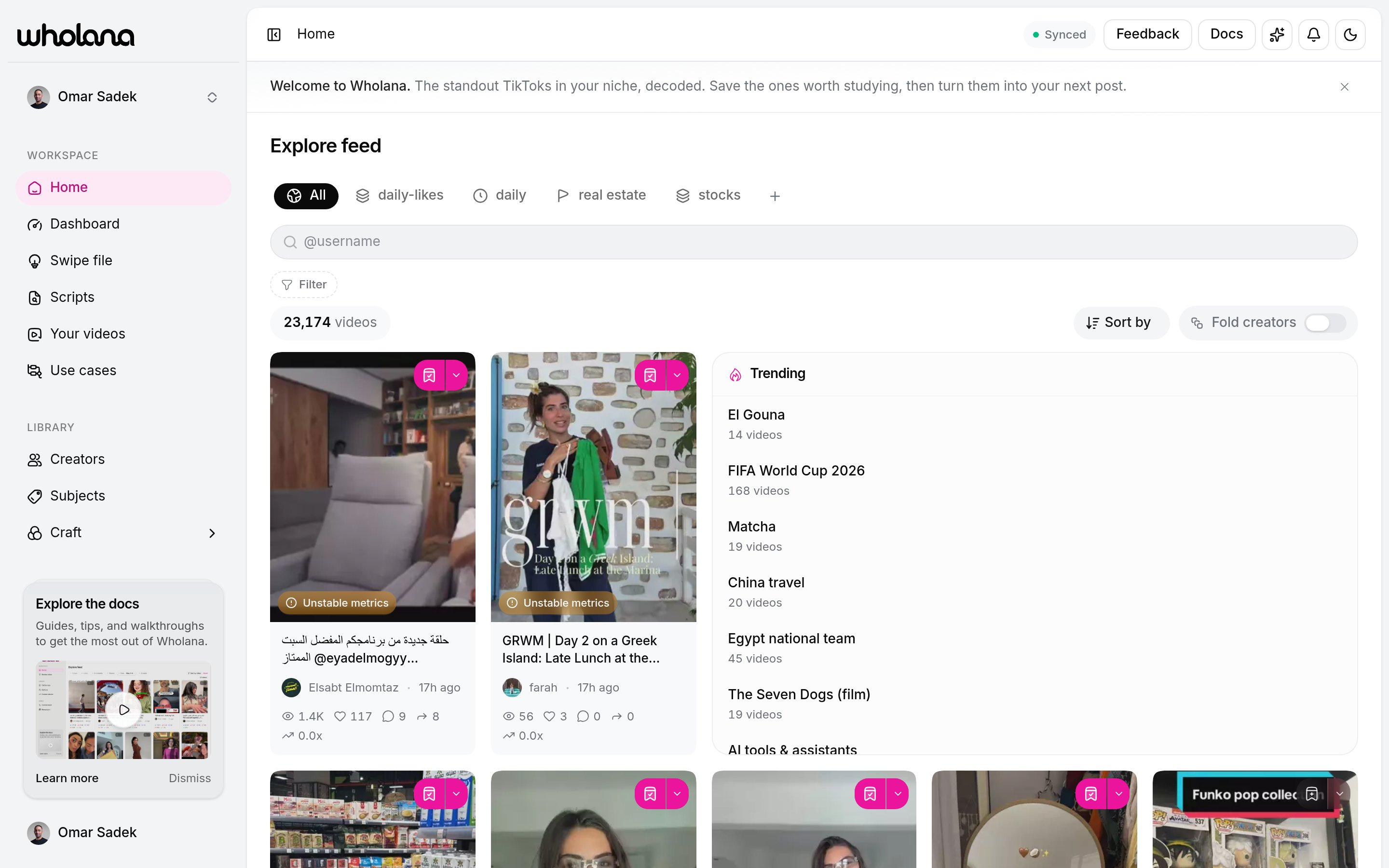
Filters
Open the Filter menu and pick a condition. Each condition you set becomes a chip in the row below. Chips stack, so several conditions narrow the feed at once. The video count next to Sort by updates live, so you can see how tight your scope is. Clear drops every chip. Save current filters as Lens stores the set as a reusable tab.
What you can filter on
The filter menu is grouped:
Every stat filter takes a preset range or your own Min and Max, so “between 8% and 12% like rate” is as easy as “over 100K views”.
Real filter combinations
Breakouts from small creators in my niche
Breakouts from small creators in my niche
Subject = your subject, Followers = Under 100K, Outlier = 3x and up, Date = last 30 days.These videos beat their own creator’s median by 3x from an account small enough that the format did the work, not the audience.
Hooks worth stealing
Hooks worth stealing
Hook archetype = the archetype you want to practise, Decoded = Yes, sort by Outlier score.You get the strongest examples of one specific hook shape instead of a mixed bag.
Comment engines
Comment engines
Comment bait = Yes, Comments in Rate mode = 0.5% and up, sort by Comments.Useful when Your videos says engagement is your weak spot.
Lenses
A Lens is a saved filter combination plus its sort, shown as a tab above the feed. An All tab always sits first. One click snaps the feed back to that scope. A Lens is scoped to one surface: a Lens saved on Explore cannot be opened on Creators, and each surface keeps its own tab row. Each Lens can also carry Notify on new, which alerts you when new videos enter that scope. Rename, reopen, or delete a Lens from its menu or from the Dashboard.Sort
Sort by orders the filtered feed:
Outlier score is usually the most useful sort for a research session. Views only tells you who is already big.
Outlier score
Every card shows a multiplier such as0.2x, 1.0x, or 1.9x. That is the Outlier score:
1.0x: the video matched the creator’s typical performance- Above
1.0x: a breakout, relative to that creator - Below
1.0x: underperformed, relative to that creator
0.5x. A 30K-view video from a creator who normally gets 5K scores 6x. The second is the interesting one: something in that video worked that usually does not.
The search palette
Press⌘K (or Ctrl+K) anywhere in Wholana. The palette is one box for finding and doing:
Keyboard:
↑ ↓ to move, ↵ to activate, Esc to close, and ? on an empty input for the shortcut list.
Semantic search matches on meaning, so “morning routine” also returns “how I start my day” videos that never use those words. Results load into the feed as a ranked set and your filters still apply on top. Clear in the filter bar drops the search along with the chips.
Ask the assistant
Open the assistant from the sparkle button in the header, then describe what you want. It can search videos, find creators, pull up a video’s craft analysis, and apply filters to the Explore feed for you. These prompts ship as starters in the product, so each one resolves to real filters:Find breakouts
Find small creators punching up
Study one hook shape
Study shareability
Scout a niche
Two display controls
- Fold creators collapses runs of consecutive videos from the same creator, so one prolific account cannot dominate a scan. It sits next to Sort by because it changes display, not content.
- Mute creator (right-click any card) removes a creator from your feed. Unmute from Settings → Workspace → Muted creators.
Working a session
1
Scope
Add filters, or run a search, until the feed is narrow enough to skim.
2
Sort
Pick the sort that matches your question. Outlier score for breakouts, Newest for what’s fresh.
3
Save without stopping
Click the bookmark on any card to save it to your Swipe file. Capture first, organize later.
4
5
Save the scope
If the filter set is worth returning to, save it as a Lens.
Corpus data is scraped and refreshes daily, so it is not real time and a video posted an hour ago will not be there yet. See what Wholana doesn’t do for the full list of limits and workarounds.
Related
Swipe file
Where the videos you save land, and how they become scripts.
Craft
The five facets behind every craft filter.
Creators
Study the creators who keep showing up in your feed.
Dashboard
Manage your Lenses and see what’s breaking out.