
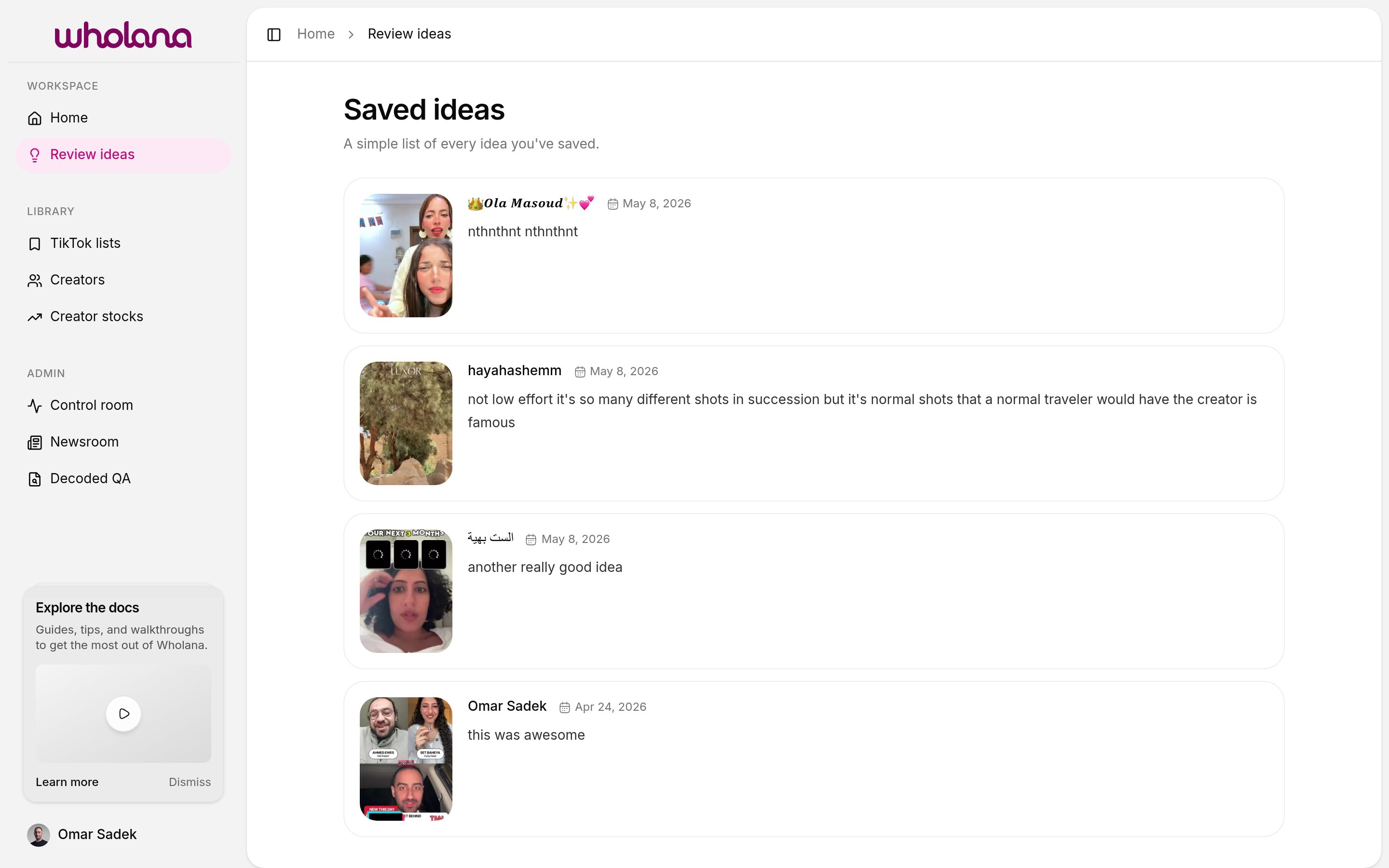
Ideas vs lists
Wholana has two ways to save a video, and they serve different purposes:| Action | Where it goes | When to use it |
|---|---|---|
| Save as idea (note required) | Saved ideas page | When you have something to say about the video — a hook to remember, a format to steal, an angle to study |
| Save to list (bookmark, no note) | A TikTok list | When you want to group the video by theme or campaign for later, without committing to writing a note |
Saving a video as an idea
- From any card in the Explore feed (or a creator’s page), click the card to open its detail view.
- Write your note in the note field.
- Save. The idea appears at the top of the Saved ideas feed.
What to write in a note
There’s no required format. Notes that pay off later cover:- Hook — the first 1–3 seconds. What stopped your scroll?
- Format — talking-head, POV, slideshow, screen recording, duet, voiceover.
- Angle — the specific framing that differentiated this video from others in the same format.
- What you’d steal — the one element you’d apply. “The ‘three things I wish I knew at 25’ framing applied to skincare” is useful. “Good hook” is not.
Why this is a separate surface from lists
Saving and writing are two different attentional modes. Scanning the Explore feed is fast and high-throughput — the right state for bookmarking videos into lists. Writing a note is slow and deliberate — the right state for studying one video. The detail view + Saved ideas feed exists for the slow mode. The bookmark + lists exist for the fast mode. Trying to write deep notes while scanning means you do neither well.Notes are fully manual. Wholana does not generate, suggest, or auto-fill them.
Related
- Explore feed — where you find videos worth a note
- TikTok lists — the lighter, no-note save mechanism
- Creators — open a tracked creator and save ideas from their catalogue