> ## Documentation Index
> Fetch the complete documentation index at: https://docs.wholana.com/llms.txt
> Use this file to discover all available pages before exploring further.
# Saved ideas
> Your chronological research journal of videos with notes attached.
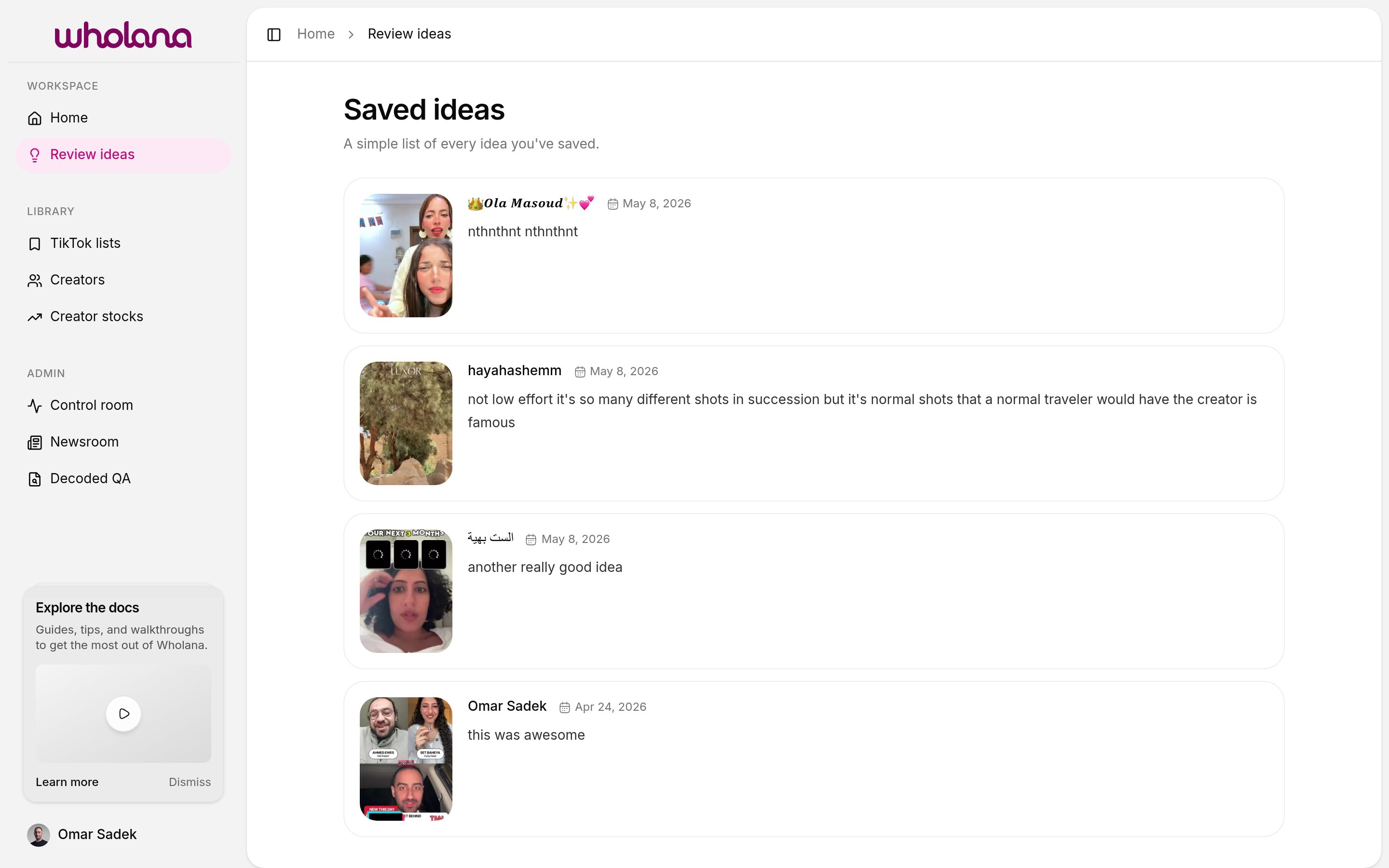
Saved ideas is your research journal. Every time you save a video **as an idea** (with a note attached), it shows up here as a dated entry — thumbnail, creator, your note. It's the surface where your thinking accumulates over time.
Open **Review ideas** in the Workspace section of the sidebar to get here. (The sidebar label is "Review ideas"; the page itself is titled "Saved ideas." Docs use "Saved ideas" throughout.)
 ## Ideas vs lists
Wholana has two ways to save a video, and they serve different purposes:
| Action | Where it goes | When to use it |
| ------------------------------------ | --------------------------------------- | --------------------------------------------------------------------------------------------------------- |
| **Save as idea** (note required) | Saved ideas page | When you have something to say about the video — a hook to remember, a format to steal, an angle to study |
| **Save to list** (bookmark, no note) | A [TikTok list](/features/tiktok-lists) | When you want to group the video by theme or campaign for later, without committing to writing a note |
A video can be both — saved as an idea *and* added to a list. Or just one. Or neither. The two save mechanisms are independent.
For a fast scan session, lists are the right tool. For deliberate study, ideas are. Most useful research sessions involve both.
## Saving a video as an idea
1. From any card in the [Explore feed](/features/explore-feed) (or a creator's page), click the card to open its detail view.
2. Write your note in the note field.
3. Save. The idea appears at the top of the Saved ideas feed.
## What to write in a note
There's no required format. Notes that pay off later cover:
* **Hook** — the first 1–3 seconds. What stopped your scroll?
* **Format** — talking-head, POV, slideshow, screen recording, duet, voiceover.
* **Angle** — the specific framing that differentiated this video from others in the same format.
* **What you'd steal** — the one element you'd apply. *"The 'three things I wish I knew at 25' framing applied to skincare"* is useful. *"Good hook"* is not.
Write for future-you, not for an audience. The notes are reference material when you plan content next week or next month. They only need to make sense to you.
## Why this is a separate surface from lists
Saving and writing are two different attentional modes. Scanning the Explore feed is fast and high-throughput — the right state for bookmarking videos into [lists](/features/tiktok-lists). Writing a note is slow and deliberate — the right state for studying one video.
The detail view + Saved ideas feed exists for the slow mode. The bookmark + lists exist for the fast mode. Trying to write deep notes while scanning means you do neither well.
Notes are fully manual. Wholana does not generate, suggest, or auto-fill them.
## Related
* [Explore feed](/features/explore-feed) — where you find videos worth a note
* [TikTok lists](/features/tiktok-lists) — the lighter, no-note save mechanism
* [Creators](/features/creators) — open a tracked creator and save ideas from their catalogue
## Ideas vs lists
Wholana has two ways to save a video, and they serve different purposes:
| Action | Where it goes | When to use it |
| ------------------------------------ | --------------------------------------- | --------------------------------------------------------------------------------------------------------- |
| **Save as idea** (note required) | Saved ideas page | When you have something to say about the video — a hook to remember, a format to steal, an angle to study |
| **Save to list** (bookmark, no note) | A [TikTok list](/features/tiktok-lists) | When you want to group the video by theme or campaign for later, without committing to writing a note |
A video can be both — saved as an idea *and* added to a list. Or just one. Or neither. The two save mechanisms are independent.
For a fast scan session, lists are the right tool. For deliberate study, ideas are. Most useful research sessions involve both.
## Saving a video as an idea
1. From any card in the [Explore feed](/features/explore-feed) (or a creator's page), click the card to open its detail view.
2. Write your note in the note field.
3. Save. The idea appears at the top of the Saved ideas feed.
## What to write in a note
There's no required format. Notes that pay off later cover:
* **Hook** — the first 1–3 seconds. What stopped your scroll?
* **Format** — talking-head, POV, slideshow, screen recording, duet, voiceover.
* **Angle** — the specific framing that differentiated this video from others in the same format.
* **What you'd steal** — the one element you'd apply. *"The 'three things I wish I knew at 25' framing applied to skincare"* is useful. *"Good hook"* is not.
Write for future-you, not for an audience. The notes are reference material when you plan content next week or next month. They only need to make sense to you.
## Why this is a separate surface from lists
Saving and writing are two different attentional modes. Scanning the Explore feed is fast and high-throughput — the right state for bookmarking videos into [lists](/features/tiktok-lists). Writing a note is slow and deliberate — the right state for studying one video.
The detail view + Saved ideas feed exists for the slow mode. The bookmark + lists exist for the fast mode. Trying to write deep notes while scanning means you do neither well.
Notes are fully manual. Wholana does not generate, suggest, or auto-fill them.
## Related
* [Explore feed](/features/explore-feed) — where you find videos worth a note
* [TikTok lists](/features/tiktok-lists) — the lighter, no-note save mechanism
* [Creators](/features/creators) — open a tracked creator and save ideas from their catalogue